
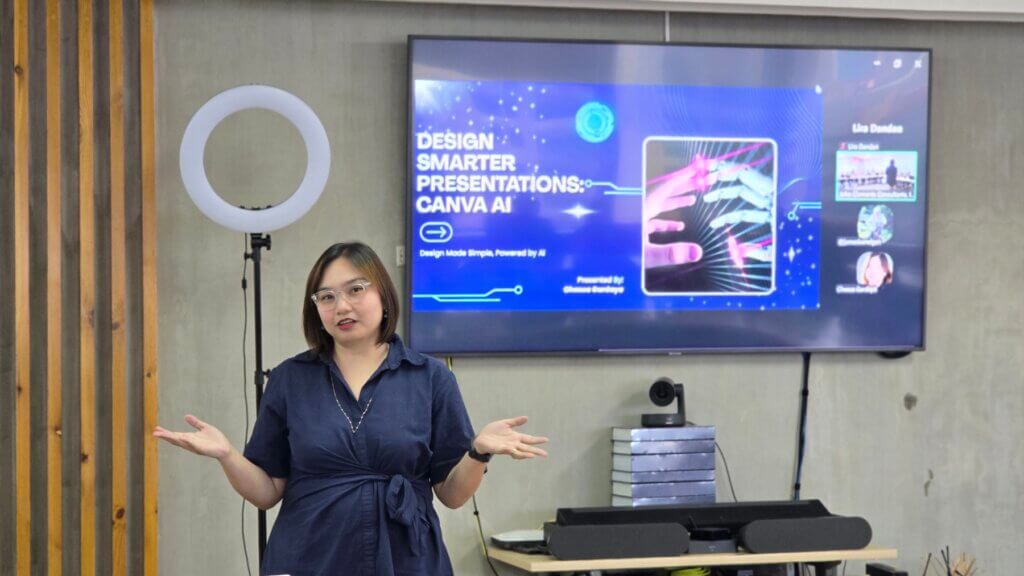
I had the opportunity to participate in JC Learning Bites on Designing Smarter Presentations with AI facilitated by Ms. Cheska. Every day, professionals struggle to make the “perfect” presentation. You start with a simple idea, then get stuck tweaking fonts, reusing the same tired template, or wrestling with files just to make everything sync in PowerPoint. Add the pressure to “make it engaging,” and suddenly you’re overdesigning slides instead of focusing on the message. It’s a common trap: more effort, less clarity.
That’s where tools like Canva AI and Gamma AI presentation platforms are quietly changing the game.
The Shift: From Slide Design to Storytelling
Instead of asking, “How do I design this slide?” the smarter question now is, “What’s the story I’m trying to tell?”
Consequently, AI tools are pushing presentations in that direction—less manual work, more thinking time.
Canva AI: Where Ideas Get Polished
Canva has become a go-to platform for teams that want clean, professional visuals without needing a full design background. It was co-founded by Melanie Perkins, a Filipino-Australian entrepreneur, and has grown into a global tool used by millions.
What makes Canva stand out now is how its AI features remove the usual friction:
- Magic Design turns rough content into ready-made slide layouts in seconds
- Magic Write helps draft content when you’re stuck
- Text-to-image lets you create visuals instead of hunting for stock photos
- Brand Kits keep everything consistent—no more mismatched fonts or colors
Think of Canva as your finishing tool. It takes your ideas and makes them look sharp, credible, and on-brand.

Gamma AI Presentation: Where Ideas Begin
Gamma flips the process completely. There’s no blank slide staring back at you. You just type a prompt—your topic, your idea—and it builds a full presentation with structure, flow, and content.
Instead of spending hours figuring out:
- What comes first
- How to organize your thoughts
- How many slides you need
Gamma handles that instantly.
It’s fast, intuitive, and perfect for:
- First drafts
- Pitch decks
- Last-minute presentations
Specifically, it helps you move from “idea” to “something usable” in minutes.
Canva x Gamma: The Smarter Workflow
The real advantage comes from using both together:
- Start in Gamma → get your structure and storyline
- Move to Canva → refine the visuals and elevate the design
In contrast to traditional workflows, this simple shift cuts production time significantly while improving overall quality. You’re no longer building from scratch—you’re building from momentum.

What Makes a Presentation Actually Work
Even with AI, strong presentations still follow simple principles:
- Clarity over clutter – if it’s crowded, it’s confusing
- One idea per slide – keep it focused
- Visual hierarchy – guide the viewer’s eye naturally
- Story flow – problem → insight → solution
- Use visuals with purpose – not just decoration
- Less text, more talk – slides support you, not replace you
- Consistency builds trust – clean, aligned design matters
These aren’t new ideas—but AI makes them easier to execute.
Reality Check: AI Is a Tool, Not the Source of Truth
Here’s where most people get it wrong: speed doesn’t equal accuracy.
AI tools—including Canva and Gamma AI presentation generators—can produce content quickly, but they can also generate hallucinations (information that sounds correct but isn’t). If you’re presenting data, insights, or anything high-stakes, fact-checking is non-negotiable (National Institute of Standards and Technology).
This becomes critical when dealing with:
- Business metrics
- Client data
- Legal or compliance-related content
- Sensitive or internal information
Furthermore, be mindful of what you input into AI tools.
A practical way to look at it: when you’re using free, open tools, your data may not be fully protected. Even with paid versions that offer stronger security and privacy controls, risk doesn’t go to zero.
- Don’t input confidential or proprietary data unless you’re sure of the platform’s safeguards
- Treat AI like a collaborator, not a vault
- Always validate before you present
The Bottom Line
The way presentations are built is evolving.
- Gamma gets you started fast
- Canva makes it look professional
Together, they remove the usual bottlenecks—overthinking, overdesigning, and starting from zero. What you’re left with is a clearer message, a faster workflow, and a presentation that actually lands.
Ready to elevate your next pitch with Canva and Gamma AI presentation tools? Connect with us today at John Clements Contact Us and follow our updates on social media for more insights.

